



MathFinder is pleased to announce a new addition to the suite of tools freely available at goMathfinder.org.
The goal of MathFinder is to help students connect math to their everyday world. When students are able to make these connections, math becomes more relevant and engaging for them, increasing their interest in learning mathematics. Working with local community partners, we have created math walks throughout North Texas that help students connect places in their communities with mathematical ideas.
Now there’s an easy to use tool teachers that can use to even further connect places in their students’ everyday lives to math! The Mathfinder Question-Asking Tool helps teachers create personalized math questions about places and objects students encounter in their everyday world.
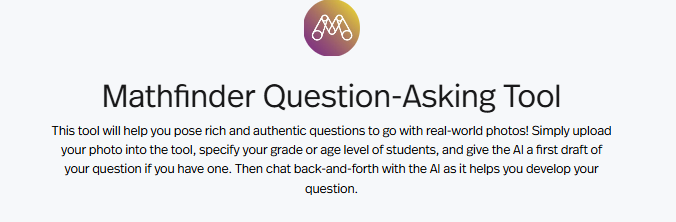
While MathFinder resources work to make math relevant for every student, we know that each child has a unique perspective. Using the Question-Asking Tool, teachers can personalize math instruction by integrating questions that are related to their students’ unique environments.
The Mathfinder Question-Asking Tool is an easy to use interface. Scroll down on the goMathfinder.org main page to the purple bar that will take you to the tool and click.

Once there, you will be prompted to enter a picture or video you want to create a question about. You can add it by pasting a link or dragging in a file of your own. Next, enter the grade level of the student(s) you want to create a question for. Then, add a geographic location tag for the photo and click whether the question should be about math or science. Finally, you have the option to enter a draft question, though this is not necessary. If you don’t have a draft, just enter “NA.” Though this is not required, it is helpful for teachers who are trying to align with a certain curriculum topic or customize a question.

Once all is entered, hit submit, and the tool will provide you with five possible questions to ask about the visual you entered! TEKS connections are included too! Strategies for answering the questions are also listed.
Once you have your initial questions, you can prompt the tool to refine the questions. You may want to focus on a particular aspect of the visual, adjust the reading level, or refine to a selected math concept. The tool will adjust questions according to your needs. While the main goal of the tool is to relate math to familiar objects and places, the customization options mean that you can tailor a series of questions to a target concept or differentiate how questions are asked.
You can use the tool to create personalized math questions to use in class, or create your own math or STEM walk right on your own campus or neighborhood.
The Mathfinder Question-Asking Tool benefits both teachers and students. Teachers have an accessible, quick, and easy-to-use way to personalize math learning for their students. Students benefit from questions that place math in their everyday lives. They walk away with a feeling of connection and self-efficacy.
We hope you’ll have a chance to try out the tool. If you do, please let us know how it supported your math instruction. Comment below to share your experience.
About the Contributor
